


Quick Summary: What to Expect When Using Yooz
When you arrive on the Yooz platform website, you are stepping into a highly optimized, purpose built, cloud-native AP automation workspace designed to eliminate financial administrative friction. The platform serves as a single, intuitive place to capture, code, approve, match, process, and pay supplier invoices with minimal manual effort.
As an industry-leading provider of automated accounts payable solutions, Yooz is powered by proprietary AI and machine learning to learn from your documents and processes to deliver fast, accurate, touchless invoice processing. This ensures that most finance teams can transition from manual data entry to automated workflows in days, not months.
Whether you are a growing enterprise or a distributed finance department, Yooz provides real-time visibility into spend, liabilities, and workflow status from any browser or mobile device. Backed by excellent ratings across independent customer platforms and Trustpilot reviews, the Yooz experience is built for clarity, speed, and control so your team can focus on higher-value work instead of chasing paperwork and approvals.
The Yooz website operates as a Cloud-Software-as-a-Service (SaaS) application. It features automated invoice ingestion channels (email, drag-and-drop, mobile photo), an intelligent AI-driven data extraction processing engine, automated workflow routing maps, and live API integrations connecting directly to major ERP systems.
Digitizing Accounts Payable Processes: A Walkthrough of the Yooz Application Interface
When you access the Yooz platform, the shift from manual bookkeeping to digitized accounts payable processing becomes immediately clear. The platform removes physical paper invoices and replaces them with a clean, structured flow of digital documents that move through your AP workflow with speed and accuracy.
Automated Invoice Processing in Action
When you open the central dashboard, the first core component you interact with is the document ingestion screen. Here, automated invoice processing begins with Yooz’s proprietary AI the moment documents arrive:
- The Ingestion Feed: Invoices sent to your dedicated email addresses or dropped manually into the system via web upload or drag and drop appear instantly in your processing queue.
- Real-Time Processing Status: Keeps teams informed as documents move through the system.
Operating Your AP Workflow
Once the system captures a document, Yooz’s AP automation workflow software manages the approval process visually in the queue. On your screen, each invoice is displayed side-by-side with its extracted financial data, general ledger codes, and related purchase orders. The platform automatically flags exceptions, duplicates, or mismatches, allowing your team to resolve issues with a few quick clicks.
The all-in-one platform and intuitive user interface redefines simplicity. Instead of navigating multiple systems, and tracking down approvers, finance teams manage the entire AP lifecycle from capture to approval to payment in one easy to use platform.
Financial Process Automation: How Yooz Connects Your Entire Back-Office Ecosystem
The value of the Yooz platform goes far beyond basic invoice digitization. It serves as a central engine for financial process automation, connecting your AP workflows with the rest of your back-office systems to create a unified financial environment.
Unifying Your Accounting and ERP Systems
Yooz offers integration with over 250 ERP, accounting software, and DMS. Rather than forcing you to operate in a siloed application, the platform integrates seamlessly with your current infrastructure, pulling live vendor lists, tax rules, and general ledger codes directly from your system of record.
Driving Back-Office Digital Transformation
Yooz helps finance teams move beyond manual, paper-driven processes and into fully digital, automated operations. By deploying cloud-based business process automation tools, organizations can streamline the full AP process. The application’s dashboard functions as a unified command center, providing business leaders with visibility into approval bottlenecks, exceptions, and operational efficiency metrics across every entity or location. This visibility is essential to long-term accounts payable digital transformation, enabling teams to operate proactively rather than reactively.
Why Choose Yooz? The Platform Advantage
Choosing the right AP automation partner means finding a solution that delivers speed, accuracy, and long term scalability. Yooz combines an unmatched combination of speed, power, and ease of use.
- Industry-Leading Technical Expertise: Our platform is engineered from the ground up by financial technology specialists and 25% of our income is reinvested into R&D annually.
- Proven, Measurable Outcomes: Businesses using our application routinely see an 80% drop in end-to-end invoice processing times. By eliminating manual data entry and approval bottlenecks, finance teams can redirect hours toward strategic analysis and cost-optimization tasks.
- Fast Implementation and Access: With no hardware to install and no complex IT projects required, environments can be configured, implemented, and live quickly. Your team can be fully trained and access approval queues securely from any location worldwide in no time.
- Advanced AI Capabilities: Unlike legacy OCR tools that rely on rigid templates that fail whenever a supplier updates their invoice layout, our adaptive AI reads documents intelligently. It understands invoice structure, adjusts to new formats, and delivers high accuracy from the start.
- Consistently Highly Rated: Smooth onboarding, reliable platform performance, and responsive technical support contribute to Yooz’s strong ratings across review platforms, including Trustpilot.
What Features Should I Look for in AP Automation Software?
Before committing to any platform, it’s worth knowing what separates a genuinely useful AP tool from one that just digitizes your day-to-day operations with the same manual bottlenecks:
1. Unified Document Capture Screen
Look for a flexible ingestion screen that lets you import invoices in any digital format, whether via automated email monitoring, direct drag-and-drop, API file transfer, or mobile document scan.
2. Multi-Level Mobile Approval System
Can approvers act without being at a desk? Yooz’s mobile version gives mangers an easy-to-use approval portal to quickly review, comment on, code, and sign off on pending supplier invoices directly from their smartphones or tablets.
3. Integrated Audit Logs
Is there a full record of who touched each document and when? Every invoice in Yooz carries a complete audit trail. Find a dedicated log within every invoice that displays a complete record of every action taken on that file—showing exactly who imported, coded, reviewed, and authorized it.
Advanced Technical Specifications: AI, OCR, and Deep ERP Integrations on Yooz
For technical users looking through the architecture documentation on our site, Yooz is built on an advanced combination of artificial intelligence and machine learning with cloud connectivity.
AI-Powered Accounts Payable Automation
Our AI-powered accounts payable automation system uses machine learning and natural language processing to read unstructured text documents intelligently. The software automatically looks for context, correctly identifying line items, tax rates, and vendor identities based on semantic patterns rather than fixed coordinates.
OCR Technology for Invoice Processing
Our smart data extraction takes OCR technology to the next level. Invoice processing goes far beyond old-school character recognition. It automatically converts raw pixels into organized, structured text data, running background validation checks against your vendor database to ensure high processing accuracy.
Cloud-Based AP
Operating through our secure, cloud-based AP automation system means your business avoids the expensive costs of buying and maintaining local server hardware. Platform updates, security enhancements, and feature upgrades deploy automatically without interrupting your team’s workflow.
Native Integration: Accounts Payable Automation for over 250 ERPs
For enterprises running large, complex general ledgers, Yooz’s 250+ ERP and accounting integrations, including SAP, Sage, Acumatica, and Microsoft Dynamics, provide deep, native synchronization. This enables real-time PO matching, goods receipt verification, and seamless accounting line synchronization across systems with zero lag.
Automated Vendor Payment Systems
To close the loop, automated payment execution lets you securely release authorized electronic payments directly from the platform interface, helping you maintain excellent vendor relationships while protecting working capital.
How to Implement AP Automation in a Small Business via the Yooz Hub
Transitioning your business to a digital workflow doesn’t require a large IT team. The onboarding process is designed to be lean, rapid, and straightforward.
- Step 1: Map Your Current Process. Outline your existing workflows, identify your primary approvers, and note your highest-volume suppliers.
- Step 2: Update Your Vendor Profiles. Take a moment to clean your vendor database, ensuring you remove duplicate profiles and out-of-date banking information before syncing data.
- Step 3: Launch a Pilot Onboarding. Roll out the platform to a small group of core vendors first, letting your finance team get comfortable with digital approvals before rolling it out company-wide.
- Step 4: Monitor System Insights. Review the built-in system performance dashboards regularly to track processing speeds, catch bottlenecks early, and continuously optimize your workflow efficiency.
Best Practices for Choosing an AP Automation Tool
- Test the User Interface: Make sure the system is clean and easy to use. A straightforward interface helps ensure internal team adoption and prevents approval delays from busy managers.
- Confirm ERP Compatibility: Check that the platform has a verified history of connecting seamlessly with your exact accounting setup whether you rely on Sage, Xero, NetSuite, or QuickBooks.
- Verify Security Standards: Your financial data requires enterprise-grade protection. Look for providers that maintain clear SOC compliance certifications and robust data encryption practices.
- Look at Independent Reviews: Check out public user reviews on independent platforms. Pay attention to feedback regarding customer support responsiveness and implementation speed, areas where Yooz consistently receives high praise in Trustpilot reviews.
Common Challenges in Accounts Payable Automation and How Yooz Resolves Them
Managing Team Adoption and Change Resistance
Shifting from familiar paper processes can sometimes meet with internal pushback. Team members might worry that introducing automation software will displace their positions. The platform is built to handle the repetitive, manual data entry work, freeing your skilled staff for high-value financial analysis, real-time budget management, and strategic planning.
Handling Mixed Invoice Document Quality
Finance teams receive invoices in a massive variety of formats, from crystal-clear digital files to wrinkled paper receipts and low-resolution mobile snapshots. While basic scanning tools fail when encountering poor file quality, our advanced AI uses contextual text analysis to read these variations accurately, dramatically lowering your exception rates.
Breaking Down Separated Legacy Systems
When an automation tool cannot communicate with an older on-premise accounting setup, it creates a frustrating data silo. This forces teams to manually export and import CSV files every day. The platform’s extensive integration network solves this by maintaining direct, secure data links with legacy ERP configurations.
Commercial Value: Comparing Manual Processing against the Yooz Pricing Model
Evaluating a software investment means weighing predictable platform fees (set out in full on the Yooz pricing page) against the real, hidden costs of manual document processing.
The True Cost Comparison
Manual document management introduces hidden expenses, including data correction times, late payment interest fees, lost vendor documentation, and high administrative labor costs.
| Operational Performance Metric | Traditional Manual Bookkeeping | Yooz Cloud Integrated Platform |
|---|---|---|
| Average Cost to Process an Invoice | $9.00 to $14.00 per document | $1.00 to $2.50 per document |
| Average Processing Time Frame | 12 to 28 Business Days | Under 72 Hours Total |
| Data Extraction Accuracy Level | Subject to human data-entry errors | Over 99% accuracy via advanced AI |
| Physical Archive Infrastructure | Onsite filing cabinets or local drives | Secure, centralized cloud environment |
| Early Payment Discount Retention | Frequently missed due to internal delays | Consistently captured via fast workflows |
By moving your processes to Yooz, businesses realize full software cost neutrality and measurable returns on investment within the first six to nine months of launch.
Financial Operations and Accounts Payable
The Accounts Payable (AP) department is a critical component of financial operations, responsible for managing all the accounts payable processes, including outgoing payments to vendors and suppliers. The more you improve accounts payable efficiency, the better the chance of timely payments, strong vendor relationships, and overall financial health in the organization.
Recognizing this, enterprises are increasingly adopting account payable automation solutions, embracing cutting-edge digital transformation technologies that reduce process times while improving accuracy and foresight. The following guide will walk you through the key aspects and benefits of AP automation, providing tangible benefits and insights into the future of automation in finance.
Essential Elements of the Accounts Payable Process
Understanding the core components of the entire AP process is essential to maximize efficiency within the organization. From the initial capture and extraction of invoice data to the final stages of payment processing and reporting, each step plays a crucial role in maintaining smooth operations and financial accuracy.
Invoice Management
Invoice management is all about capturing and extracting data from invoices.
Automated invoice management software utilizes Optical Character Recognition (OCR) and Artificial Intelligence (AI) to accurately extract relevant data such as vendor information, invoice numbers, dates, and amounts, reducing manual entry errors and saving time. These systems also automatically match invoices with Purchase Orders (POs) and delivery receipts, ensuring accuracy and compliance with minimal manual involvement. This matching process is vital for identifying discrepancies and preventing fraudulent activities, which can significantly impact the financial health of the organization.
Approval Process
Invoice approval software directs invoices to the appropriate personnel for review and authorization, ensuring that everything is processed promptly and correctly. By clearly defining this workflow, organizations can avoid bottlenecks and delays, improving overall productivity.
Technology automation directs this process, routing invoices according to set criteria such as a customized accounts payable approval matrix, sending reminders, and keeping the approval process smooth and efficient. This significantly reduces the need for manual intervention.
Payment Processing
Payment processing is a crucial component of the AP process, the final stage where payments to suppliers and vendors are scheduled and executed. This involves ensuring that bill payments are made accurately and on time, helping to maintain good relationships with vendors and avoiding late fees or penalties.
While traditional methods meant manual check-writing and bank transfers, an automated system of payment processing uses technology to handle transactions and ensure that payments are made accurately and promptly.
Record Keeping
Effective record keeping is a fundamental element of the AP process, ensuring that every transaction is accurately captured and organized. It involves maintaining comprehensive records related to invoices, payments, and approvals. Record keeping is crucial for accuracy and transparency, audit readiness, regulatory compliance, and financial analysis.
Automation software transforms this process by providing real-time data capture, reducing manual entry errors, and ensuring that records are paperless, making them easily searchable and accessible.
Compliance and Reporting
Compliance and reporting ensure that company policies and regulatory requirements are met, including generating insightful reports for financial analysis and maintaining current documentation for audits and financial reviews.
Automation minimizes human error by accurately capturing and processing data, ensuring precise reports and compliance documentation. It offers real-time access to financial data, allowing organizations to continuously monitor their financial status and swiftly respond to any discrepancies or compliance issues. By integrating automation into compliance and reporting, organizations can achieve greater accuracy, efficiency, and audit readiness while strengthening financial oversight and reducing the risk of accounts payable fraud.
The Complexity of Manual Processing
Manual Accounts Payable (AP) processing is the traditional way of handling invoices and payments, requiring tasks such as data entry, verification, and reconciling vendor statements to be performed by hand. Although it can certainly track bills and process payments, this labor-intensive approach is not only time-consuming but also prone to human errors that can severely impact both accuracy and operational efficiency.
Primary obstacles associated with manual accounts payable processes include:
- Time-Intensive Manual Data Entry: Manual data entry is slow, labor-intensive, and prone to errors, especially when dealing with substantial volumes of invoices (including possible duplicate invoices).
- Accuracy and Timing: Ensuring the accuracy of manual data entry is a demanding task, affecting an organization’s ability to make informed strategic decisions based on real-time financial data.
- Limited Insights Analytics: The manual nature of the accounts payable process often results in limited visibility into the payment cycles. For example, tracking invoices and approvals through email correspondence is both time consuming and complicated.
- Increased Risk of Human Error: Manual data entry is not only time-consuming but often routine and tedious, making it susceptible to human errors that lead to delays in the payment process and an increased risk of fraud.
By recognizing the challenges inherent in manual processing, businesses can identify solutions that improve accuracy, efficiency, and visibility within financial operations. These improvements contribute to a more streamlined and effective AP process that strengthens the overall strategic function of modern finance.
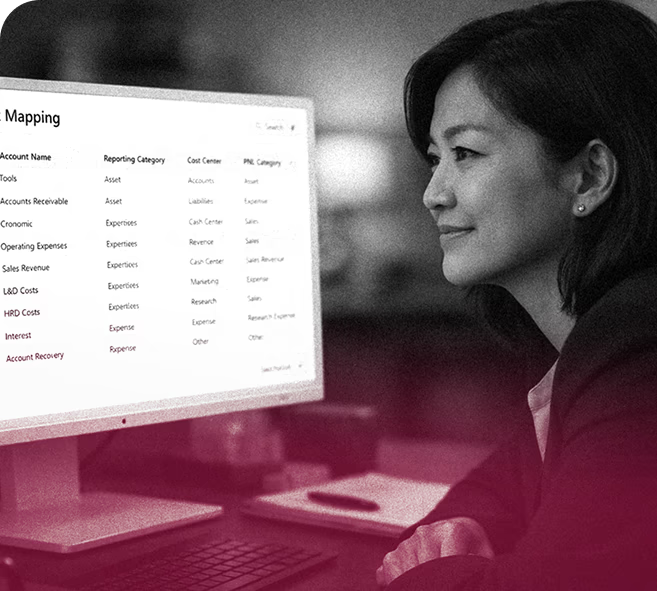
AP slowing you down? Not for long. Free assessment. Proven recommendations.
Take our interactive AP automation tool assessment to see where you stand in minutes
Why Automate Accounts Payable Tasks
Aside from streamlining the invoice workflow and improving accuracy, is there a concrete AP automation ROI? Absolutely. Automating accounts payable tasks not only enhances your AP processes but also lays the foundation for a more agile and competitive business environment.
By reducing or eliminating manual processes and errors, accelerating invoice processing, and improving overall efficiency, automation frees your team to focus on strategic activities that drive overall productivity and growth rather than get bogged down by repetitive administrative tasks.
Furthermore, automated AP processes increase visibility and control, supporting better decisions and stronger vendor and stakeholder relationships.
How AP Automation Works
Let’s have a quick look at AP automation 101.
AP automation software leverages advanced technologies such as Optical Character Recognition (OCR), Artificial Intelligence (AI), and Machine Learning (ML) to optimize invoice processing. These tools automate tasks like invoice data capture, validation, and entry, streamlining invoice processing by significantly reducing the need for manual intervention and minimizing errors.
Using accounts payable software enables faster and more accurate approval and payment, while features like automated invoice matching with Purchase Orders (POs) and receipts enhance efficiency throughout the entire invoice management workflow.
Here are 8 key tasks that can be automated to streamline ap processes:
- Invoice Capture and Data Entry: Automate the extraction and input of invoice details into your system. This reduces manual entry errors and saves time.
- Invoice Matching and Verification: Automated PO matching pairs supplier invoices with purchase orders and delivery receipts line by line, ensuring accuracy and compliance with minimal manual involvement.
- Approval Workflows: Streamline invoice processing and approval based on predefined, customizable rules. This speeds up the process and helps ensure timely payments.
- Payment Processing: Manual payment processing often results in delays and errors. Automation ensures timely and accurate payments, preventing late fees and capitalizing on early payment discount opportunities.
- Expense Reporting: Automate the submission and approval of expense reports to improve transparency and reduce processing time.
- Vendor Management: Automate onboarding, information updates, and communication with vendors. This improves relationships by ensuring accuracy, efficiency, and timely interactions.
- Tax Compliance and Reporting: Manual processes are error-prone, time-consuming, and can lead to costly penalties due to missed deadlines or incorrect filings. Automate tax compliance and reporting to improve accuracy and ensure timely submissions.
- Analytics and Reporting: Manual processes are slow and error-prone, delaying critical business insights. Automate analytics and reporting to ensure accuracy and timely insights for better decision-making.
Levels of AP Automation Capability
Before looking at how to automate the accounts payable department or implementing AP automation, organizations must first determine the extent of payable automation required. Modern Accounts Payable automation software comes in various levels, categorized into the following five tiers:
No Automation
At this level, all the invoice processing is handled in the traditional, manual way.
Basic Automation Software
Basic automated accounting systems generally automated simple, repetitive tasks such as invoice scanning, capture, and coding. These systems help reduce manual data entry errors and improve efficiency but still require human oversight.
Intermediate Automation
Intermediate automated accounting systems integrate with existing financial software to automate complex process such as PO matching and approval workflows. Automated processes at this level provides better control, improved accuracy, and increase visibility into operations.
Advanced Automation
Advanced AP automation solutions offer end-to-end automation, including analytics, supplier management, and built-in AP fraud detection. This level of systems significantly reduces processing time, generates cost savings, and provides real-time insights into cash flow and liabilities.
Best-of-Breed
Best-of-breed AP automation systems lead the industry, leveraging modern technology for continuous improvement and optimization of the various accounts payable system and processes. These systems offer seamless integration with various enterprise systems and provide the ability to pay either within or outside of the platform.
Benefits of an Accounts Payable Automation System
Who benefits from AP automation? Everybody.
AP automation offers numerous benefits, including ensuring higher accuracy, strengthening supplier relationships, and optimizing cash flow, making it an indispensable asset for finance teams.
Specific examples include:
- Reduced Manual Errors: AP automation minimizes human error by leveraging advanced technologies that ensure accurate data capture and processing throughout the invoice lifecycle.
- Cost Savings: By streamlining and automating AP tasks, organizations can significantly reduce the time and resources spent in a manual process, leading to substantial cost savings.
- Increased Efficiency and Productivity: Automating repetitive AP tasks improves overall efficiency, allowing finance teams to focus on other meaningful accounts payable strategies.
- Better Compliance and Audit Readiness: Automated systems simplify tracking and reporting of financial transactions, helping to reinforce compliance with regulatory standards, simplify audit processes, and improve tax compliance.
- Stronger Supplier Relationships: Automated processes reinforce timely and accurate payments, fostering strong supplier relationships that can potentially lead to better terms, collaborations, and possible early payment discounts.
- Real-Time Financial Insights: AP automation provides access to up-to-date financial data, enabling more informed decision-making and improved cash flow management.
- Enhanced Data Security: Secure AP automation solutions protect sensitive financial information and ensure compliance with data protection regulations.
- Higher Scalability: AP automation can handle fluctuating volumes of invoices with ease
- Faster Approvals: Faster approvals streamline workflows using customized, predefined rules. This reduces the time spent getting manual approvals.
5 Features Found in the Right AP Automation Solution
Knowing the organization’s needs is crucial for identifying the key features and level of customization needed in your AP automation technology. However, accounts payable automation best practices typically include the following features:
1. Cloud-Based AP Automation Systems
Cloud-based accounting software is essential for modern finance teams, providing centralized, real-time access to data from any location.
These systems offer improved data security and management, reducing errors and improving communication between departments and locations. In addition, cloud-based solutions are affordable and scalable, allowing your business to grow without significant IT infrastructure investments.
2. Advanced Validation Procedures
Advanced validation of accounts payable procedures ensure the accuracy and reliability of your financial data. These steps verify the authenticity and completeness of invoices and other documents, significantly reducing errors and the risk of fraud.
By implementing validation checks such as 2-way or 3-way verification, you can ensure compliance with industry standards and regulations while enhancing financial integrity.
3. System Integration Capabilities
Integration capabilities, specifically integration with other ERP or accounting system systems, are crucial for a seamless AP automation experience.
By connecting your AP automation system with existing ERP, HRM, and procurement systems, you centralize data management and extend automation across the full procure-to-pay automation cycle rather than the invoice stage alone. This integration allows data to flow effortlessly between systems without manual intervention, saving time and reducing errors.
4. Data Security and Compliance
In a digital world where data is everything, ensuring its security and reliability is crucial for maintaining trust and stability. Protecting accounts payable data is vital for safeguarding an organization’s financial health and reputation.
Automation enhances this by enabling resilient and responsive security measures, making data protection imperative for preserving stakeholder trust and ensuring regulatory compliance.
5. Payment Options
Modern automated payment processing systems support various payment methods such as Electronic Funds Transfer (EFT), Automated Clearing House (ACH) transactions, and virtual credit cards. These systems can also offer features like payment batching, which consolidates multiple payments into a single transaction. This reduces transactions costs, improves cash flow management, and enhances overall efficiency in the AP process.
The Future of AP Automation
AP automation is poised to transform the future of accounts payable by improving the way that businesses handle their financial transactions. With technology advancements in area like AI and ML, AP automation is shifting from basic task automation to sophisticated, intelligent systems that can predict trends, identify anomalies, and make strategic decisions.
Here are 5 key trends shaping the future:
1. AI and Machine Learning Integration
- Predictive Analytics: Future AP systems will leverage predictive analytics to forecast cash flow needs, optimize payment schedules, and anticipate financial risks.
- Anomaly Detection: Advanced algorithms will help identify inconsistencies or potential fraud in real-time, enhancing security and compliance.
2. Blockchain Technology
- Enhanced Security and Transparency: Blockchain can provide a secure, unchangeable ledger for transactions, reducing the risk of fraud and errors. It also ensures transparency and traceability throughout the payment process.
3. Robotic Process Automation (RPA)
- Efficiency and Accuracy: RPA will take over repetitive, rule-based tasks, such as invoice processing and data entry, freeing up human resources for more strategic activities.
- Scalability: Businesses can easily scale their operations without significant increases in labor costs, as robots can work 24/7 and handle large volumes of transactions.
4. Cloud-Based Solutions
- Accessibility and Collaboration: Cloud-based AP automation solutions will offer real-time access to data from anywhere, fostering better collaboration among teams and stakeholders.
- Cost-Effectiveness: By moving to the cloud, businesses can reduce IT infrastructure costs and benefit from automatic updates and maintenance.
5. Advanced Data Analytics
- Informed Decision-Making: Leveraging big data, AP automation systems will provide deeper insights into spending patterns, supplier performance, and process efficiencies.
- Customizable Reports: Businesses will have the ability to generate customized reports tailored to their specific needs, improving strategic planning and decision-making.
The future of AP automation is not just about automating tasks, it’s about creating an intelligent, interconnected ecosystem that enhances efficiency, accuracy, and strategic decision-making. By adopting these advanced technologies, businesses can stay ahead of the curve, minimize risks, and optimize their financial operations.
Accounts Payable Automation with Yooz
The Yooz solution leverages AI, Deep Learning, and Big Data technologies to deliver an amazing level of purchase-to-pay automation (P2P). This unique combination provides you with the best accounts payable automation software, offering unparalleled capabilities and efficiency.
Yooz cloud based AP automation provides a unique blend of Artificial Intelligence (AI) Deep Learning and Big Data-based technologies to deliver superior smart data extraction, tailored routing, fraud detection, payments, and more. The user-friendly automated invoice interface is customized to offer real-time insights and analytics, empowering your organization with actionable tools.
Already using an Enterprise Resource Planning (ERP) or accounting system? Yooz seamlessly integrates with over 250 existing financial and accounting systems, offering the highest compatibility on the market. This ensures that your organization can be up and running in as little as a single day.
Discover the power of Yooz!
Ready to learn more about automating invoice processing?

“As modern finance leaders focus on strategic priorities, workflow automation will become even more critical for handling routine accounts payable (AP) tasks such as invoice processing, approval, payments and vendor audits.”
(From “How Today’s Technologies Shape the Modern Finance Office”)
Accounts Payable Automation FAQs
Can you automate the accounts payable process?
Yes, the AP process can be automated using specialized accounts payable processing software designed to handle tasks including invoice capture, data extraction, and payment workflows.
Are the benefits of AP automation worth it?
AP automation is a worthwhile investment due to its ability to increase efficiency, reduce errors, and provide better financial control and visibility.
Is AP automation software affordable?
Yes, thanks to cloud-based Software-as-a-Service (SaaS) and ability to scale, AP automation is affordable to businesses of all sizes.
Do ERPs have their own AP automation feature?
While ERPs such as QuickBooks, SAP, Microsoft, and NetSuite all offer some of AP software AP automation features, they usually don’t meet the extensive automation needs of dynamic business environments. Yooz’s dedicated AP automation software platform enhances these ERPs with advanced capabilities for invoice data capture, data extraction, and electronic workflows.
Does AP automation software give companies greater financial control and visibility?
Yes, it provides greater financial control and visibility by streamlining processes and offering real-time insights into existing financial systems and data.
How does AP automation capture data?
Data is captured using technologies such as Optical Character Recognition (OCR), smart data extraction, and Machine Learning (ML) to extract information from invoices and other documents. The Yooz platform is known for its best-of-breed accuracy in smart data extraction.
Can AP automation reduce fraud?
Strict approval workflows combined with better oversight and transaction tracking ability all help to reduce fraud.
Can AP automation software prevent duplicate payments?
Yes, AP automation software automatically cross-references incoming invoices with existing records to detect duplicate invoices. Yooz uses 3-way checking which, when combined with its proprietary smart data extraction, ensures that potential problems are caught at the beginning of the process.
Is AP automation software hard to use?
Yooz designs a customer dashboard the user’s specification, ensuring that the software is user-friendly and integrates seamlessly with existing ERP systems to enhance usability.
Is my business too small to implement an AP automation solution?
No. AP automation software provides accounts payable automation benefits for small businesses and large enterprises alike.
Why does an organization need efficient AP processes?
Efficient AP processes ensure timely payments, helps with vendor management and maintaining good vendor relationships, and contributes to the overall financial health and operational efficiency of an organization.
How do I compare AP automation of software providers?
When looking Focus on data capture accuracy, speed of deployment, ERP integration depth, and user reviews. While basic tools offer simple document scanning, Yooz stands out by combining self-learning AI, strong compliance features, and an intuitive design backed by top-tier Trustpilot reviews.
What’s the implementation process like for my ERP?
Implementation experiences depend heavily on your existing ERP setup. Modern, cloud-native automation platforms use pre-built API connectors to link smoothly with major accounting software packages. This allows for fast configuration and live data synchronization without requiring custom coding from your internal IT staff.
What kind of ROI can I expect from AP automation?
Your return on investment is driven by reduced labor costs, the elimination of duplicate or fraudulent payments, and the financial benefit of capturing early-payment supplier discounts. Most organizations experience a significant drop in per-invoice costs, making the platform cost-neutral within its first year of use.
How do I identify pain points in your current manual process?
Common signs of an inefficient manual process include frequent duplicate invoices, lost or missing documents, constant supplier phone calls chasing payments, and month-end closing processes that drag on for weeks. Recognizing these problem areas is an essential first step toward building a lean, automated workflow.
Should I consider an on-premise vs. cloud-based solution?
On-premise software requires high upfront capital investments, dedicated internal IT maintenance, and manual version updates. On the other hand, cloud-based architectures offer lower initial costs, seamless remote access for distributed teams, easy scalability, and automatic security upgrades to protect your financial data.
Additional Resources

Navigating Accounts Payable Remote

Accounts Payable Document Management


The Path to Better AP Automation ROI


The Significance of P2P Accounts Payable




AP Automation 101: A CFO’s Guide